Somewhere on every long family trip, the same phone call happens: someone’s mother asking where exactly you are now, because the group chat has become four hundred unlabeled photos and a rumor of a waterfall. The fix isn’t another app for the family to install. It’s the oldest trick on the internet: a blog, one address where the trip accumulates in order, written by you, readable by anyone you hand the link to.
This page is for the search that usually ends at a template builder: a “family travel blog creator” that generates a pretty one-page site and then leaves you to figure out the actual blogging. A template makes a page. What a traveling family needs is a habit: somewhere posting from a phone in a hostel lobby is easy enough that it actually happens, and where fifty posts organize themselves into something the family can browse for years. That’s the product we build, so the bias here is disclosed and the comparison below includes the options that aren’t us.
What a family travel blog actually needs
The honest requirements list is short and specific:
- Zero friction for the readers. The audience includes people who won’t install anything and shouldn’t have to. A browser link that works on a ten-year-old iPad is the bar.
- Photos with words attached. The album apps have every photo and no story; the story is the reason your aunt keeps opening the link.
- Order and a map. “Which country was that?” should be answered by the blog’s structure, not by scrolling back through March.
- Easy enough to keep up mid-trip. Anything that needs a laptop and an evening dies by week three. Posting has to work from a phone, tired.
- A future. Group chats scroll away, apps retire, and a template site nobody updates is a business card. The trip deserves an archive that’s still readable in a decade.
The options families actually try
| Great at | Where it fails the family | |
|---|---|---|
| The group chat | Instant, already installed | Photos land out of order and captionless; mute it for a day and lose the plot |
| Shared photo album | Every photo in one place | No story, no order a reader can follow; a pile, not a trip |
| Trip-tracker apps | Beautiful automatic route maps | An app to install, captions instead of stories, and the archive lives on the app's terms |
| Website-builder templates | A pretty page in an hour | You get a design, not a blogging habit; updating it from the road is nobody's idea of fun |
| A TravelFeed blog | The trip at one address: stories, galleries, maps, in order — from $19/year | It's a public website (see the privacy answer below), and it isn't free |
Yes, we put our own weakness in the right-hand column too. A blog is public by nature and $19/year isn’t $0. If either is a dealbreaker, a locked shared album genuinely is the better tool, and we’d rather say so than have you find out after signup. The tracker-app row also has its own honest deep-dive in the Polarsteps comparison, and rather than take our word on any of it, four real member blogs show what the platform produces in the wild.
What the TravelFeed version looks like
Writing a post works like writing an email with much better photo handling: blocks for text, galleries and maps, from any phone or laptop, no code anywhere. Pin each post to the place it happened and the geography takes care of itself: on a hosted family blog, country, region and city pages are generated from your posts and linked to each other, so “show me everything from the Japan trip” is a page that exists automatically, not an afternoon of album curation. On the Starter membership, your pinned posts join travelfeed.com’s destination pages and your profile keeps your own travel map. Either way, the family reads it in the browser they already have.
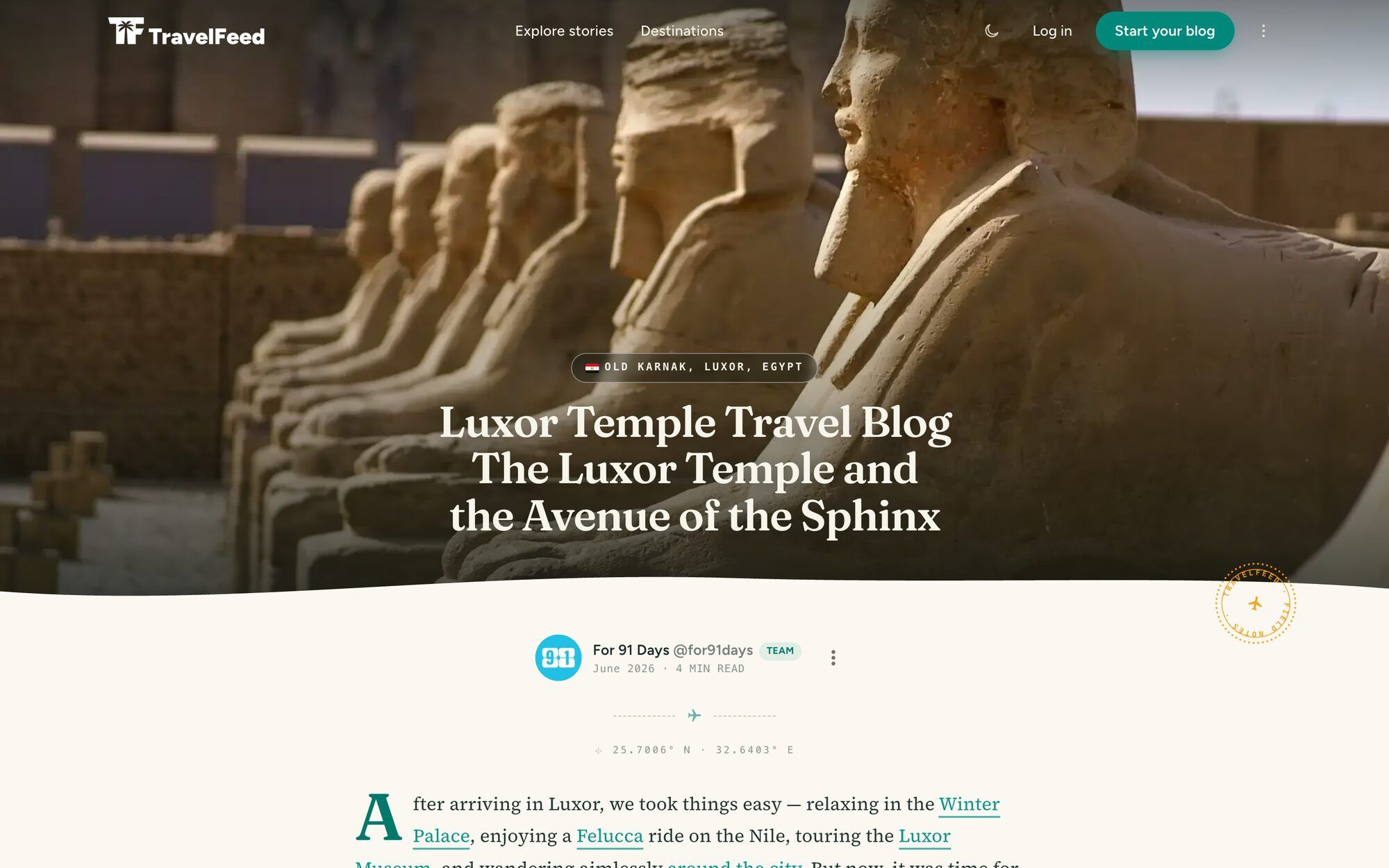
This is a real post on a TravelFeed blog, as the family sees it — full-width photos, the words alongside, the place on the map:

The honest pricing, exactly: the Starter membership is $19 a year and publishes your family’s posts on the TravelFeed community, ad-free, no domain needed. It’s the right first step for most families. Want it on your own domain instead? Year one is $150 on Pro (a 50% new-member discount applies automatically at checkout; it renews at $300/yr), or $180 a year on Basic, plus $10–15 for the domain itself; the full cost math, including every option that isn’t us, is in what a travel blog really costs.
And when the trip is over, the blog quietly becomes the thing you actually made: the family’s own archive (the kids’ guest posts included) at an address that doesn’t scroll away, sitting on the shelf next to the photo books. A blog written for twelve readers is a real blog — often a better one, for knowing exactly who it’s for.
Starting one this week
The mechanics take an afternoon: pick the audience (just family, or public-with-family-in-mind), set up the blog, send the link to the group chat, and write the first post before the trip so the address already works when you land. The step-by-step lives in the full guide to making a travel blog your family will read — including the craft parts, like writing for readers who love you but skim. For what to post beyond the trip diary, the letters-home format in our post ideas list was practically invented for family blogs.
Frequently asked questions
What is a family travel blog?
A regular blog with a specific audience: the trip lives at one web address, newest post on top, each post pairing the photos with the words that explain them, written for the people who love you rather than for strangers. The family opens a link in any browser; there's no app to install, no account to create, no feed deciding who sees the waterfall. Many later grow a wider readership, but they work perfectly with an audience of twelve.
Family travel blog or shared photo album — which is better?
They solve different problems. A shared album is the better dumping ground: every photo, instantly, in one place. A blog is the better story: the twelve photos that mattered, in order, with the context — which country the waterfall was in, why the train was six hours late. Families who try both usually land on the album for completeness and the blog for actually following the trip. If you only keep one, keep the one people will still enjoy opening in ten years.
Is a family travel blog private?
A blog is a public website — that openness is exactly why grandparents can open it with one tap, and in practice your readers are the people you send the link to. But 'not advertised' isn't 'private', so apply the family rules: no home address, no live location while traveling, no school names, and consider publishing about a place once you've left it. For genuinely private sharing, a locked photo album or the group chat remains the right tool; the blog is for the version of the trip you're happy to have exist.
Can the kids write on a family travel blog?
Yes, and it's quietly one of the best parts. The TravelFeed editor works like writing an email, so a ten-year-old can draft their own version of the day; a family can alternate authors per post, or give each kid a recurring column. It becomes a travel journal the whole crew made together, which is worth more in ten years than any photo dump. One account is all a family needs to start.